
Reviewer Guide: How to Join the ARC Team & Download Books
Welcome to the team! We are excited to share our latest books with you before they are released to the public. In exchange, we ask for your honest review.
This guide will show you how to apply for a book, get approved, and download your copy.
Step 1: Log In or Register
To ensure the security of our books and track your reputation as a reviewer, you must have an account on our site to apply.
- Navigate to the Campaign Page or the “Available ARCs” list.
- If you are not logged in, you will see a button or link saying “Log in to Apply” or “Register”.
- Click it to create your account or sign in.
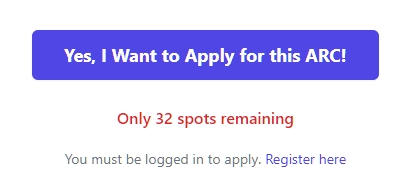
Step 2: Apply for a Book
Once logged in, you can apply for any active campaign.
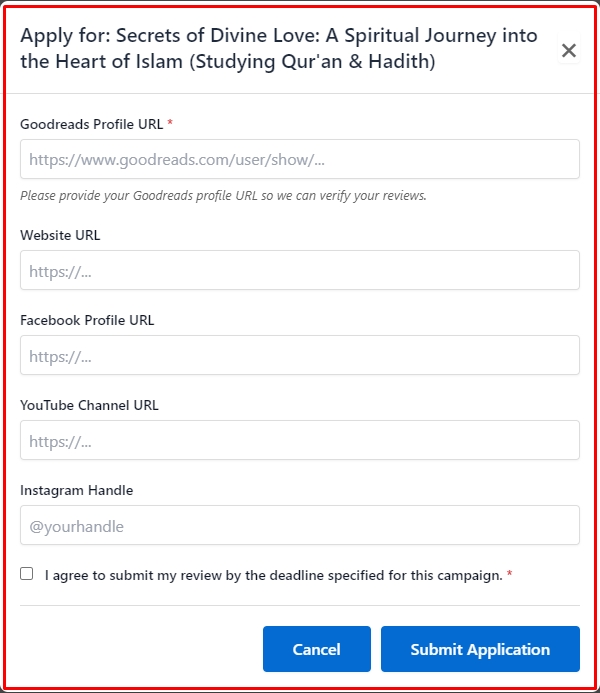
- Click the “Apply for Advance Review Copy” button on the book you want to read.
- A pop-up form will appear.
- Fill in the required details:
- Goodreads Profile URL: This is required so we can verify your past reviews.
- Social Handles: (Optional) If you review on Instagram, TikTok, or a blog, please add your links here.
- Agree to the Terms: Check the box confirming you agree to submit a review by the deadline.
- Click “Submit Application”.
Step 3: Wait for Approval
Your application is now “Pending”.
- We will review your profile.
- Once approved, you will receive a Welcome Email with a direct link to your dashboard.
- You can also check your status by visiting your Reviewer Dashboard.
Step 4: Access Your Dashboard & Download
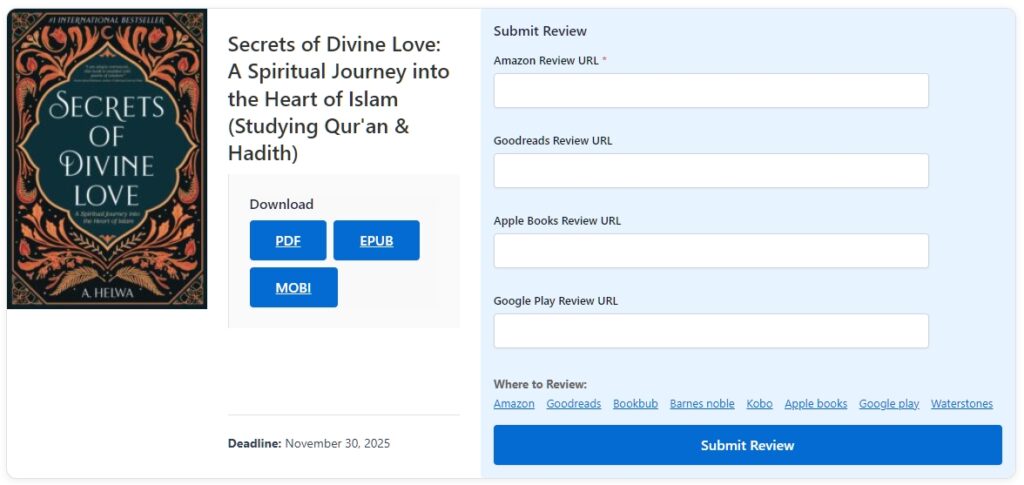
Your Reviewer Dashboard is your personal library. This is where you access all your books.
- Go to the Reviewer Dashboard page (link provided in your welcome email).
- Under the “Active Campaigns” section, find the book you were approved for.
- You will see Download buttons for the available formats:
- PDF: For computers and tablets.
- EPUB: For Apple Books, Nook, Kobo, and Google Play.
- MOBI: For older Kindle devices.
- Click the button for your preferred format to save the file to your device.
Step 5: Happy Reading!
You are all set! Read the book, enjoy it, and remember to come back to your Dashboard to submit your review link before the deadline.
Next Tutorial: [Submitting Reviews: A Guide for Readers]