
Configuring Deadlines & Embargo Dates
Timing is everything in a book launch. RS ARC Manager gives you precise control over when your reviewers should read your book and when they are allowed to post their reviews.
This guide explains the difference between the Review Deadline and the Embargo Date, and how to use them effectively.
1. The Review Deadline (The “Finish Line”)
The Review Deadline is the date by which your readers must finish the book and submit their review links.
- Purpose: To ensure you get reviews within a specific timeframe (usually shortly after launch).
- What happens in the system?
- Email Reminders: The plugin uses this date to send automated emails (e.g., “7 days left”, “Urgent: Due Tomorrow”).
- Overdue Status: If a reader misses this date, their status changes to “Overdue” in their dashboard.
- Applications Close: Once the deadline passes, new users can no longer apply for the campaign.
Best Practice: Set your deadline 1-2 weeks after your book’s launch date to give readers ample time to post on Amazon.
2. The Embargo Date (The “Starting Line”)
The Embargo Date is a “Hold” date. It prevents reviewers from submitting or posting reviews before this specific time.
- Purpose: To prevent reviews from leaking before the official release date and to concentrate all reviews on Launch Day.
- How it works:
- If you set an Embargo Date (e.g., Nov 30th), the “Submit Review” form on the Reviewer Dashboard will be LOCKED until that date.
- Reviewers will see a Countdown Timer instead of the submit form.
- Once the date hits, the form unlocks, encouraging everyone to post simultaneously.
Why use it?
Amazon’s algorithm loves a sudden spike in activity. If 50 people post reviews on the exact same day (Launch Day), it signals that your book is trending, potentially boosting your ranking.

Example: The Perfect Launch Strategy
Let’s say your book launches on December 1st. Here is how you should configure these dates:
- Embargo Date: Set to December 1st.
- Result: Readers can download and read the book immediately, but they cannot post reviews in November. On Dec 1st, the gate opens.
- Review Deadline: Set to December 7th.
- Result: This gives your team a 1-week window (Dec 1 – Dec 7) to post their reviews. The system will remind them if they forget.
How to Configure
- Edit your Campaign.
- Scroll down to the Campaign Settings box.
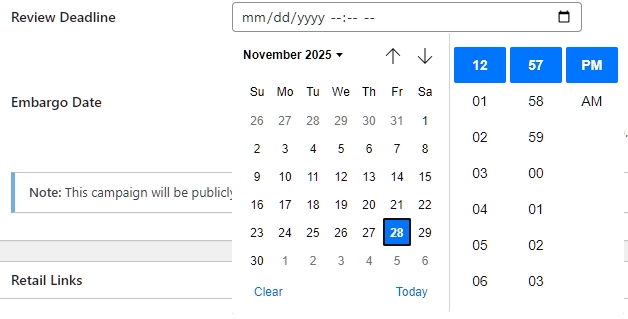
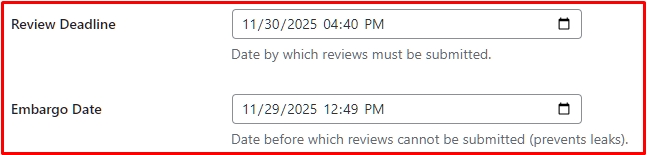
- Review Deadline: Click the field and pick your date/time from the calendar.
- Embargo Date: (Optional) Pick a date/time. If you leave this blank, reviewers can submit reviews immediately after approval.
Next Tutorial: [Uploading Book Files: PDF, EPUB, and MOBI]