
Setting Up Automated Email Reminders
Chasing reviewers for reviews is the most time-consuming part of running an ARC team. RS ARC Manager solves this with a “Set and Forget” automation system.
The plugin features a 4-Stage Drip Campaign that automatically nudges your readers at the right time, ensuring you get the maximum number of reviews without lifting a finger.
Accessing Email Automation Settings
- Log in to your WordPress Admin.
- Navigate to ARC Campaigns > Settings.
- Click on the “Email Automation” tab at the top of the page.
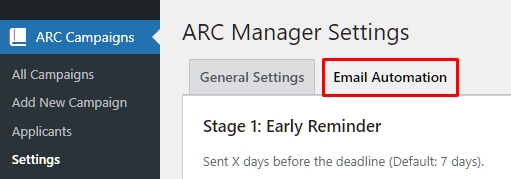
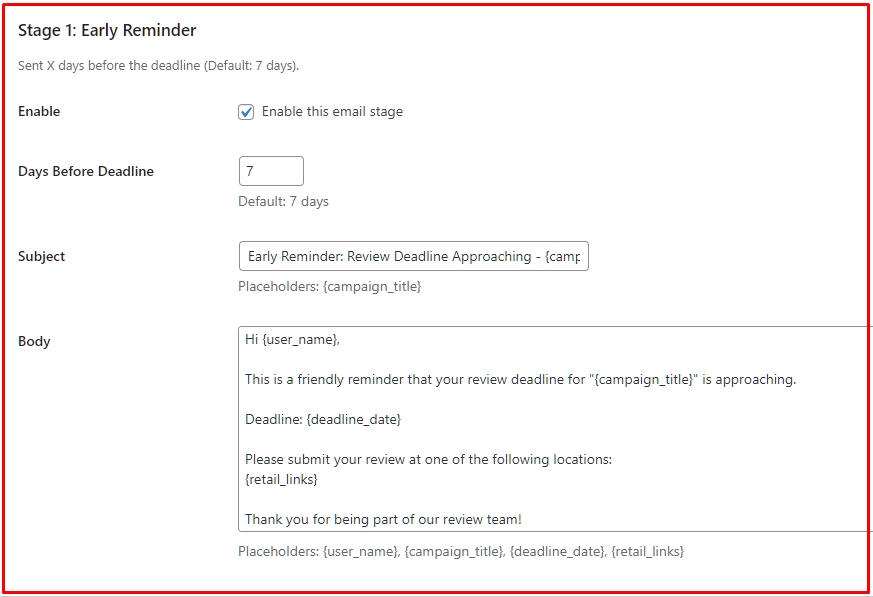
Stage 1: The Early Reminder (The “Gentle Nudge”)
This email is sent a few days before the deadline to remind readers who haven’t submitted a review yet.
- Enable: Check the box to turn this stage on.
- Days Before Deadline: Enter the number of days in advance to send this. (Default: 7).
- Example: If the deadline is Dec 10th, and you set this to 7, the email goes out on Dec 3rd.
- Subject & Body: Customize the message to be friendly and encouraging.
Stage 2: The Urgent Reminder (The “Deadline Alert”)
This creates a sense of urgency. It targets users who still haven’t reviewed as the deadline gets very close.
- Enable: Check to turn on.
- Days Before Deadline: Usually set to 1 (The day before the deadline).
- Subject: Make this attention-grabbing (e.g., “URGENT: Review Deadline Tomorrow!”).
Stage 3: The Overdue Notice (The “Oops” Email)
This email fires automatically when a reviewer misses the deadline.
- Trigger: This has no “Days” setting because it is hard-coded to send the day after the deadline passes.
- Purpose: To inform the user they missed the date but are now in the Grace Period.
- Tone: Keep it firm but polite. Remind them they can still submit without penalty.
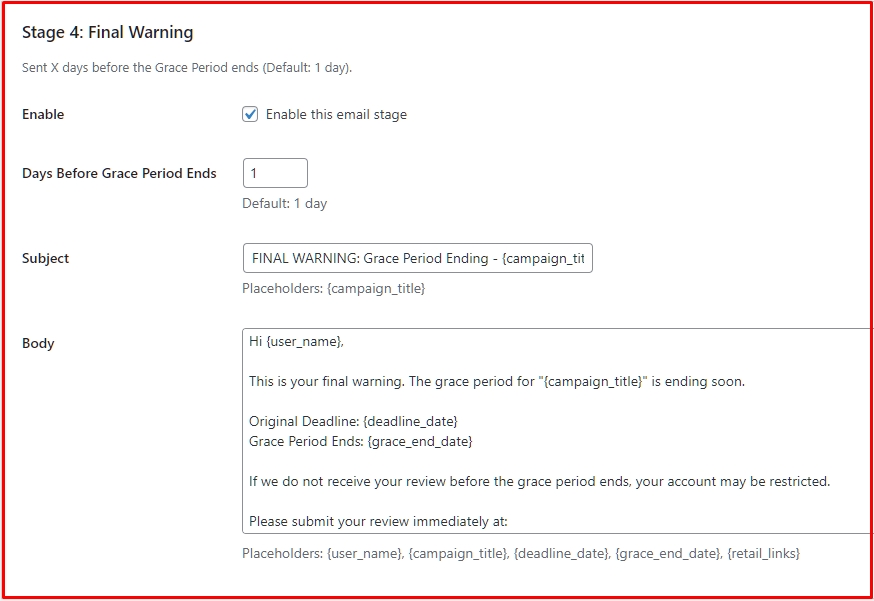
Stage 4: The Final Warning (The “Last Call”)
This is the final email sent before the Grace Period ends and potential restrictions apply.
- Days Before Grace Period Ends: Enter how many days before the absolute cutoff (Default: 1).
- Purpose: To warn the user that their reputation score will drop or they will be restricted if they don’t act immediately.
Using Dynamic Placeholders
You don’t need to write generic emails. Use these “Magic Tags” in your email body or subject, and the system will replace them with real data for each user:
{user_name}– The reviewer’s display name.{campaign_title}– The title of the book.{deadline_date}– The specific deadline for that campaign.{retail_links}– A list of links (Amazon/Goodreads) where they need to review.{dashboard_link}– The direct link to their user dashboard.{grace_end_date}– The specific date when the grace period expires (Available in Stage 4 only).
Review & Save
Once you have configured your text and timing:
- Scroll to the bottom.
- Click Save Changes.
That’s it! The system will now check your campaigns daily and send these emails automatically. You don’t need to do anything else.
Next Tutorial: [Customizing Email Templates]